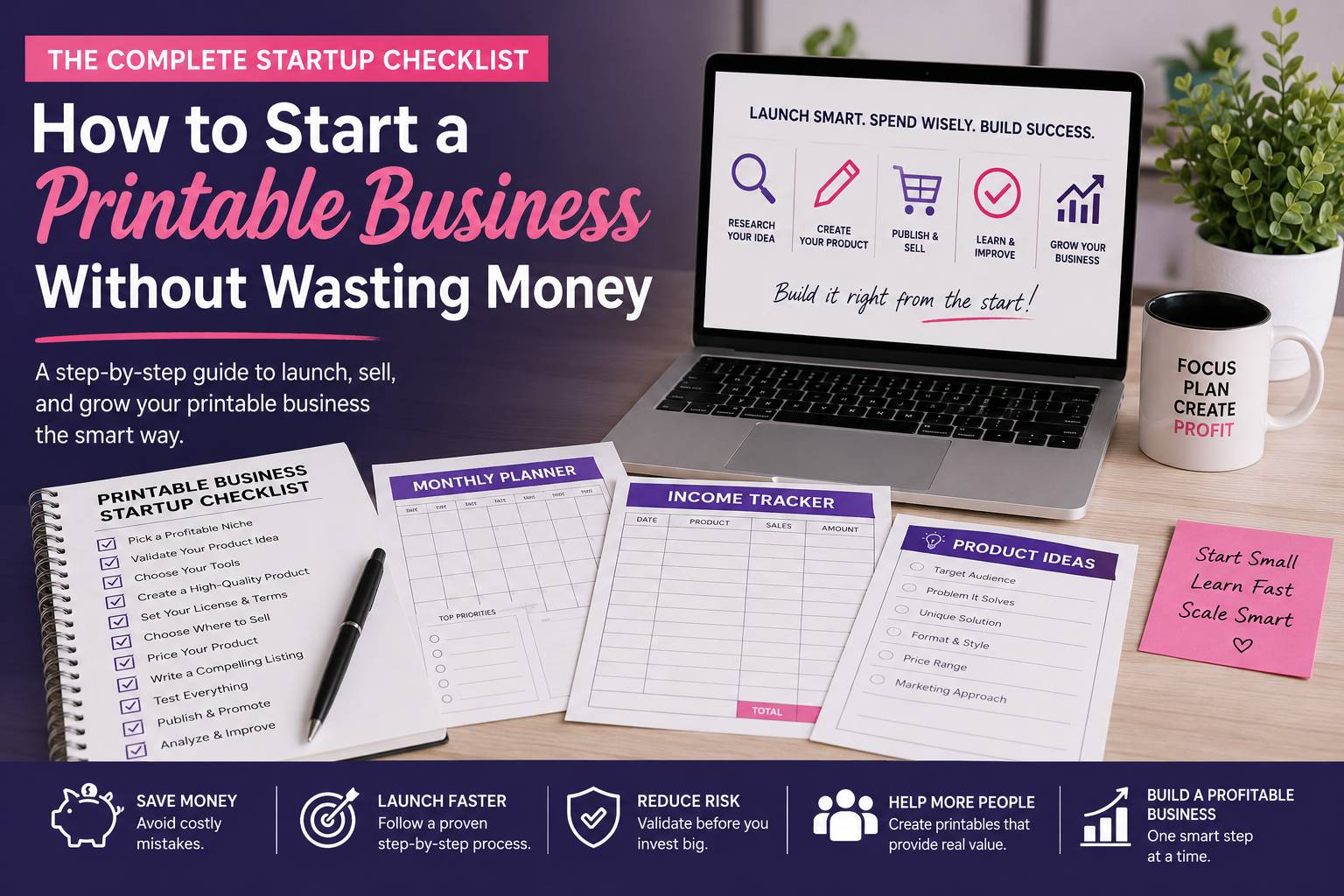
Before You Spend Another Dollar on Your Printable Business, Read This
A practical startup checklist for building your first printable product without wasting money on tools, products, and marketing you do not need yet.
Starting a printable business can be surprisingly affordable.
It can also become expensive very quickly when you start buying software, templates, graphics, courses, premium plugins, mockups, and subscriptions before you know whether anyone wants what you plan to sell.
The biggest problem usually is not spending money.
It is that they invest in the wrong things too early.
A better approach is to build the smallest working version of your printable business first. Research one idea. Validate it. Create one quality product. Test it. Publish it. Then use what you learn to decide where your next dollar should go.
That is what this printable business checklist will help you do.
TL;DR
You do not need a huge product catalog, expensive software, professional branding, or a complicated website to start selling printables.
Start with one specific customer, one validated product idea, the tools you already have, a tested printable product, clear licensing, one primary sales channel, and a strong product listing.
Publish first.
Then let real customer behavior tell you what deserves more time and money.
Start With the Minimum Viable Printable Business
Your first goal is not to make your business look large. It is to make it work.
You need a process that can take one product idea through research, creation, testing, publishing, and improvement, without turning every step into another monthly expense.
Your first product is not only something you hope to sell, but it is also your first real business test.
It should teach you something.
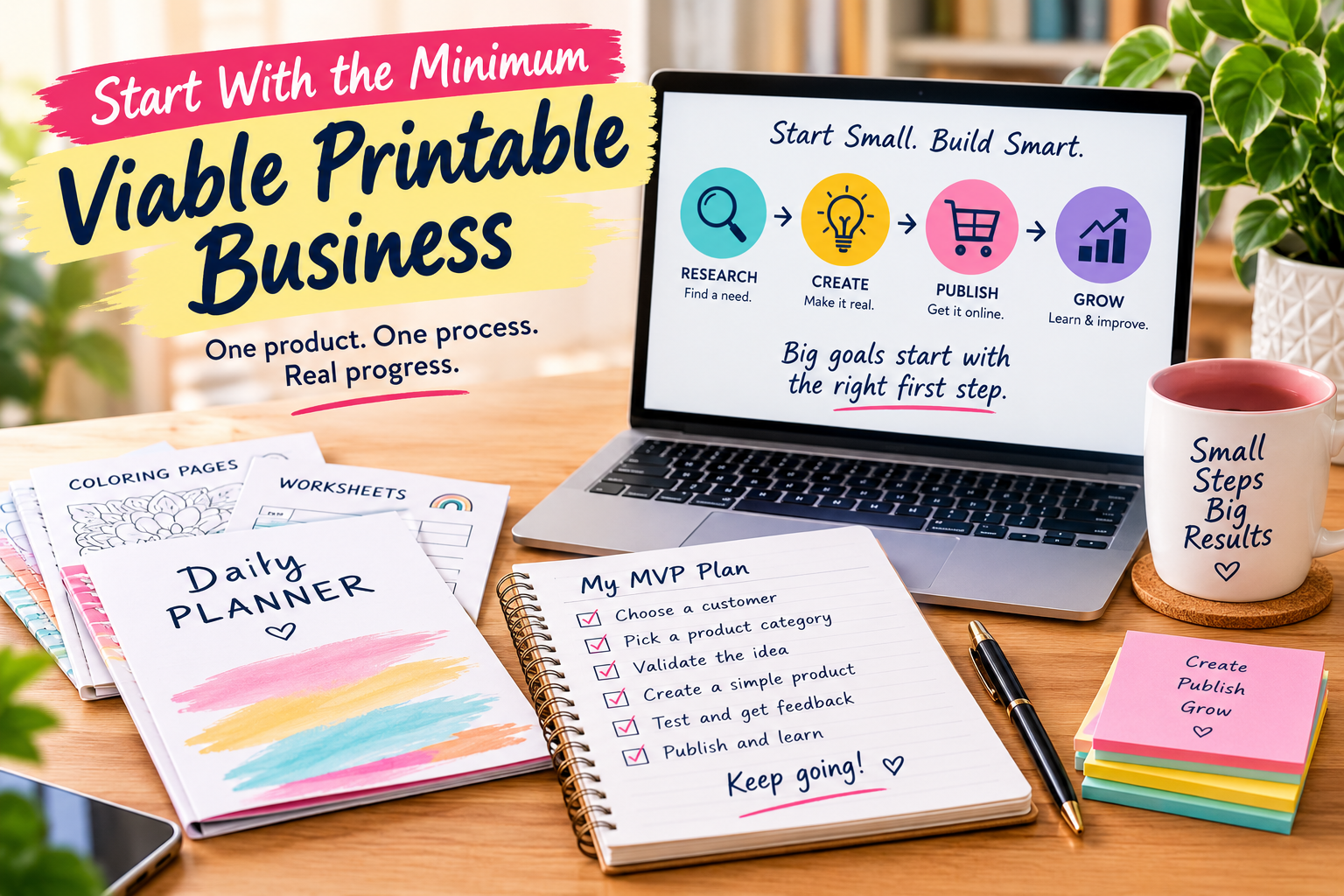
Your Printable Business Startup Checklist
Before spending heavily, work through these steps:
You do not need to complete every possible business task before launching.
You need to complete the tasks that make the product useful, sellable, deliverable, and understandable.
Decide What You Are Actually Selling
Before paying for software, branding, advertising, or a website, decide what type of printable business you are actually trying to build.
“Before paying for software, branding, advertising, or a website, decide what type of printable business you are actually trying to build. “Printables” is not a niche. It is a delivery format.
Coloring pages, planners, worksheets, journals, classroom resources, activity books, trackers, puzzles, party games, and business templates can all be printables.
The people buying those products may have completely different needs.
Identify the Customer
Ask one practical question:
Who is supposed to use this product?
You do not need a complicated fictional buyer profile.
You need information that changes the product.
Consider:
Those answers influence design, instructions, features, pricing, and product positioning.
Define the Product’s Job
Every useful printable performs a job.
A planner organizes something.
A worksheet guides an activity.
A checklist prevents forgotten steps.
A coloring page provides a creative experience.
A classroom printable helps someone teach.
Try completing this sentence:
“This printable helps [customer] accomplish [result] by [what the product allows them to do].”
If you cannot explain the value clearly, spending more money on production will not fix the underlying problem.
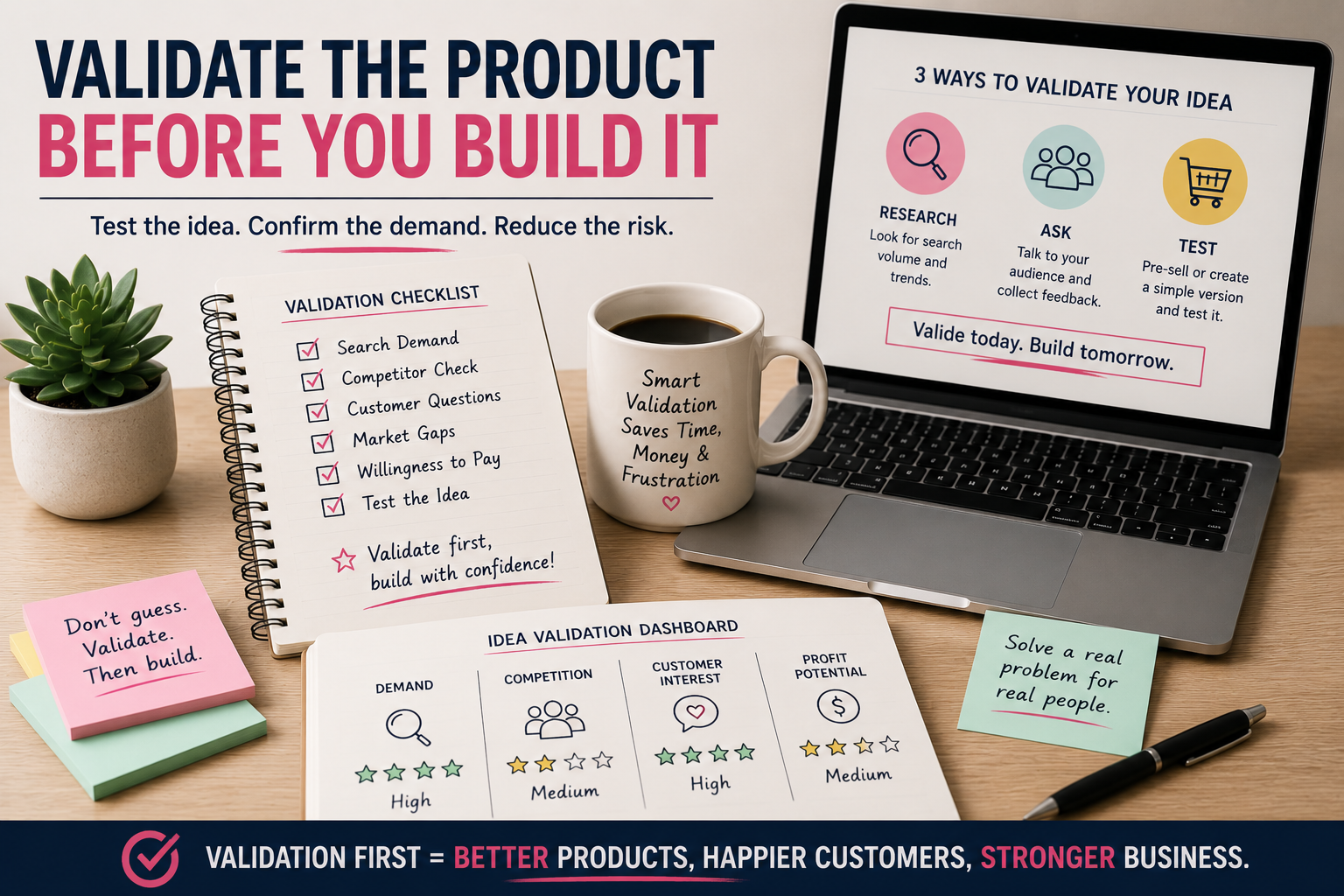
Validate the Product Before You Build It
Validation does not guarantee that a product will sell.
It reduces blind guessing.
That matters because an unvalidated idea can consume hours of design work before you discover that buyers were never interested in the first place.
Your goal is to collect enough evidence to justify creating the product. If you need a deeper process, use this guide to validate printable product ideas before you create them.
Look for Evidence of Demand
Search for the language buyers already use.
Look through search engines, marketplaces, social platforms, forums, and communities related to your product category.
Pay attention to patterns. Ask yourself the following:
Competition is not automatically a warning sign.
Sometimes competition proves that customers already spend money in that category.
Study Competitors Without Copying Them
Competitor research should help you understand expectations.
It should not become a shortcut for reproducing someone else’s work.
Study:
Negative reviews are especially useful.
If buyers repeatedly complain about confusing instructions, small text, poor print quality, limited variety, or unclear licensing, they may be showing you an opportunity.
Find a Gap That Matters to the Customer
Your product does not need to reinvent the category.
Better execution can be enough.
You might create something that is:
Being different is not enough.
The difference needs to improve the customer’s experience.
Use the Tools You Already Have First
Buying tools can feel like progress.
Sometimes it is.
Sometimes it is simply another expense.
Before purchasing anything, determine whether your current setup is actually preventing you from making the product correctly.
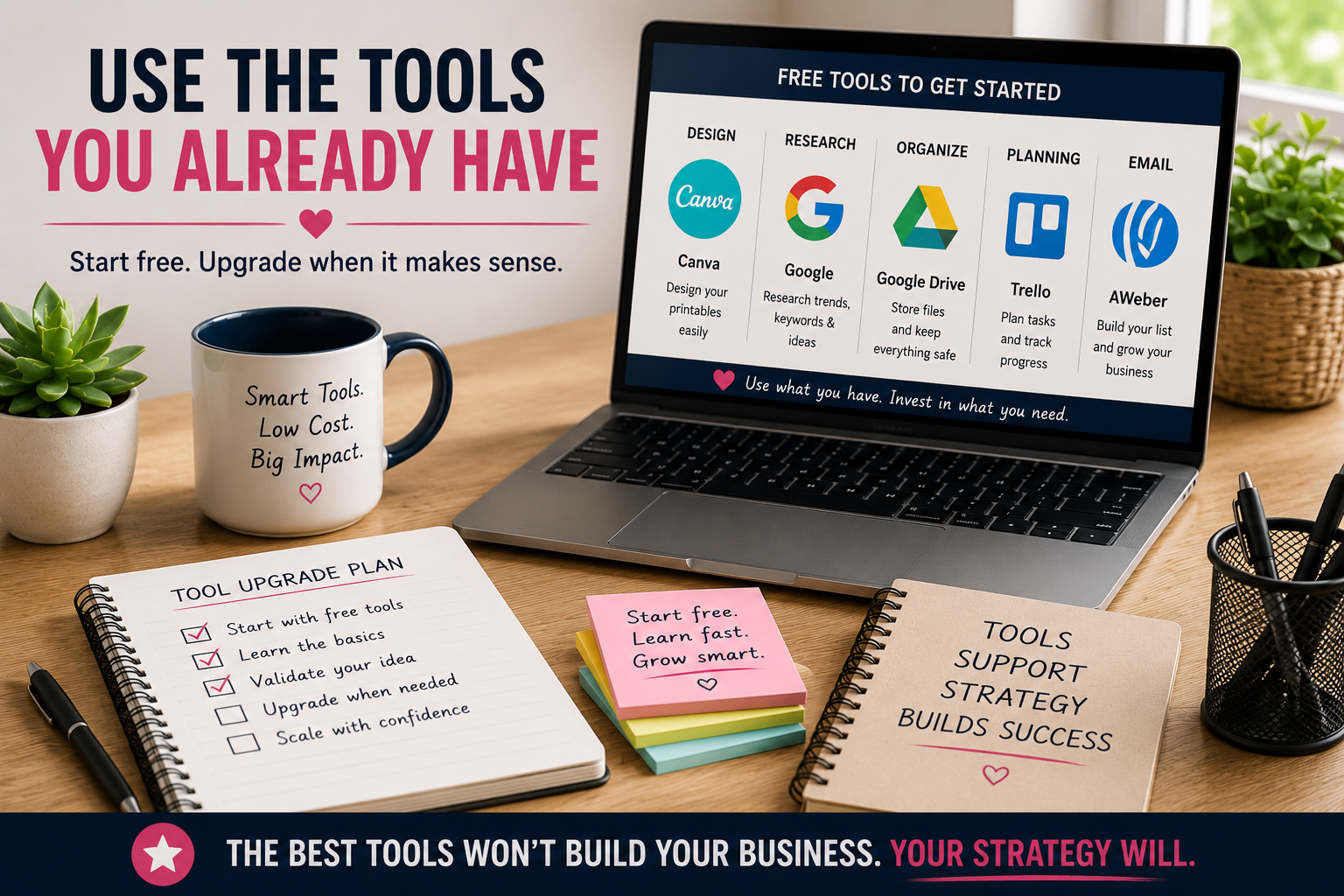
What Do You Really Need?
A basic printable business generally needs some combination of:
You may already have most of those things.
Ask:
“What is stopping me from creating this product correctly today?”
If the answer is nothing, start creating.
Free Tools Versus Paid Tools
Free tools can be perfectly useful when they produce the required result without creating licensing, export, quality, or workflow problems.
Paid tools make more sense after they solve a problem you have already experienced.
For example, software that saves several hours on every product may eventually justify its cost.
Buying the same software before creating anything because other sellers use it is a different decision.
Pay to remove proven bottlenecks.
Do not pay to solve problems you do not have yet.
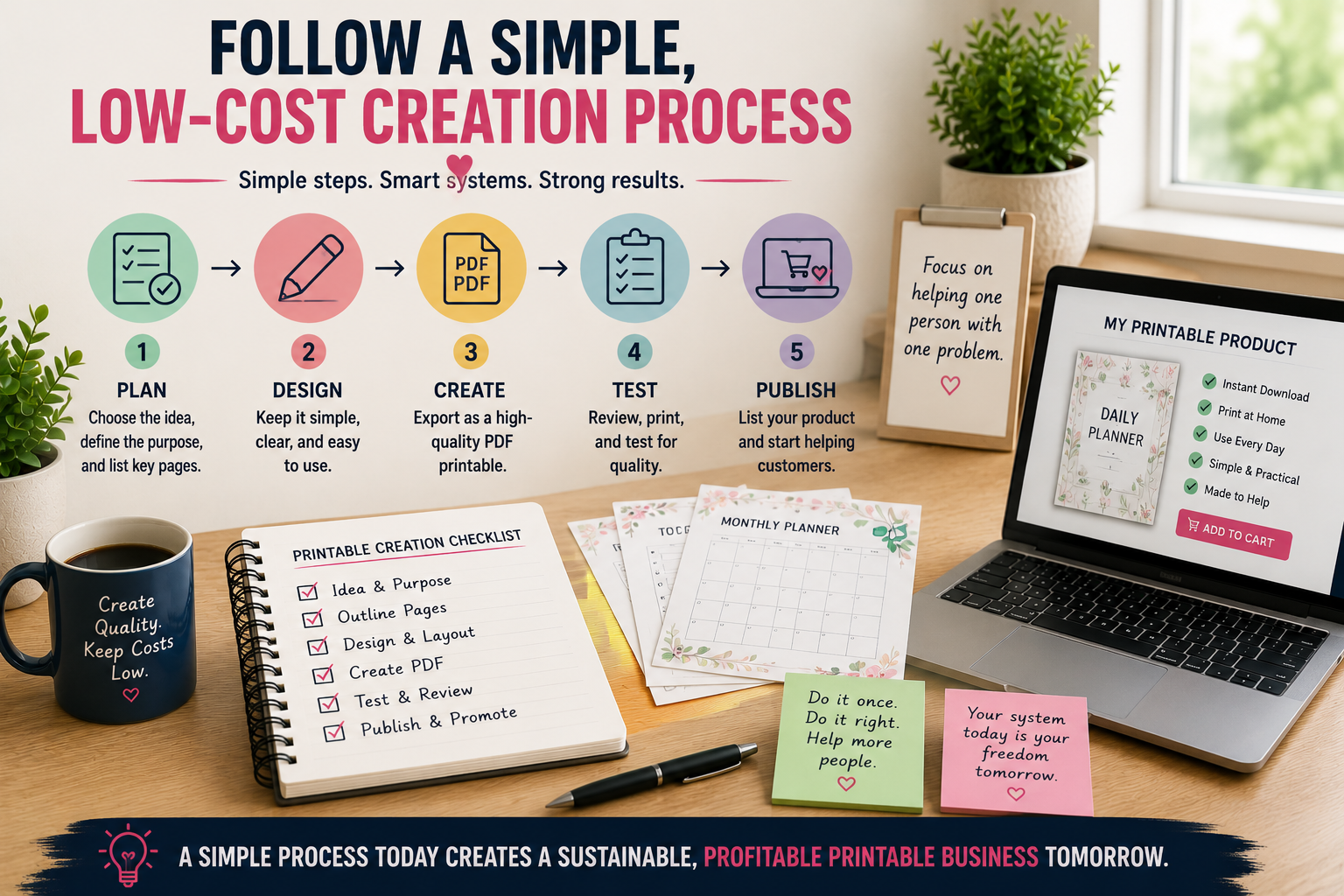
Create a Printable Customers Can Actually Use
A product is not finished simply because it looks good on your monitor.
Printables eventually become physical pages.
That means design decisions need to survive printing.
If you want to go deeper into usability, layout, readability, and customer experience, see my complete guide to designing printables customers love to use.
Design for Printing
Think about:
A printable can look impressive on a screen and still create a poor experience on paper.
Keep the Layout Easy to Understand
Review every page at normal viewing size.
Check:
Customers should spend their time using the product.
They should not have to figure out how the design works.
Test-Print Everything
Print the product.
Use it the way the customer will.
If they will write on it, write on it.
If they will color it, color part of it.
If they need to cut or assemble something, test that process.
A test print can reveal problems that are difficult to notice on screen.
Text may appear too small.
Lines may print too faintly.
Elements may sit too close to the page edge.
Large dark areas may consume more ink than expected.
Testing catches those problems before customers do.
Package the Product Properly
The files customers receive are part of the product experience.
A confusing download folder can make a strong product feel unfinished.
Organize the Final Files
Use descriptive filenames.
Remove working files and drafts.
Separate different sizes or versions when needed.
Include simple instructions when the product requires them.
Open every final PDF.
Check every page.
Make sure the customer receives exactly what the listing promises.
Check the Final PDF
Before publishing:
Treat the file package as though the customer has already paid for it.
Personal-Use Licensing
Your personal-use terms should explain what customers can and cannot do.
Depending on the product, restrictions may cover:
Keep the language clear enough for an ordinary buyer to understand.
Commercial Licensing
If you offer commercial rights, define exactly what those rights include.
Do not rely on the phrase “commercial use” alone.
For example, you might allow buyers to create certain physical products for resale while prohibiting resale, redistribution, or sharing of the original digital files.
Set the boundaries before the customer purchases.
Check the Assets Inside Your Product
You also need to understand the licensing attached to anything used inside your design.
That can include:
Having access to an asset does not automatically give you unlimited commercial rights.
Review the current terms for the tools and resources you use.
For example, Canva maintains its own Content License Agreement explaining how its content may be used.
Choose One Primary Place to Sell
You do not need to launch everywhere at once.
Every additional platform creates another listing to maintain, another fee structure to understand, and another customer experience to manage.
Start with one primary sales channel.
Selling Through Your Own Website
Your own website gives you more control over:
The tradeoff is that you are responsible for bringing people to the site.
Owning the platform gives you control.
It does not automatically give you traffic.
Selling Through a Marketplace
Digital marketplaces can simplify parts of payment and product delivery while giving sellers access to existing customer activity.
The tradeoffs may include:
Choose based on what your business actually needs.
Expand Only When Expansion Solves Something
Another sales channel should solve a problem or open a meaningful opportunity.
Maybe it gives you access to a new audience.
Maybe it reduces dependence on one platform.
Maybe customers already expect to find products there.
Expansion should have a reason.
Price Your Printable Without Guessing
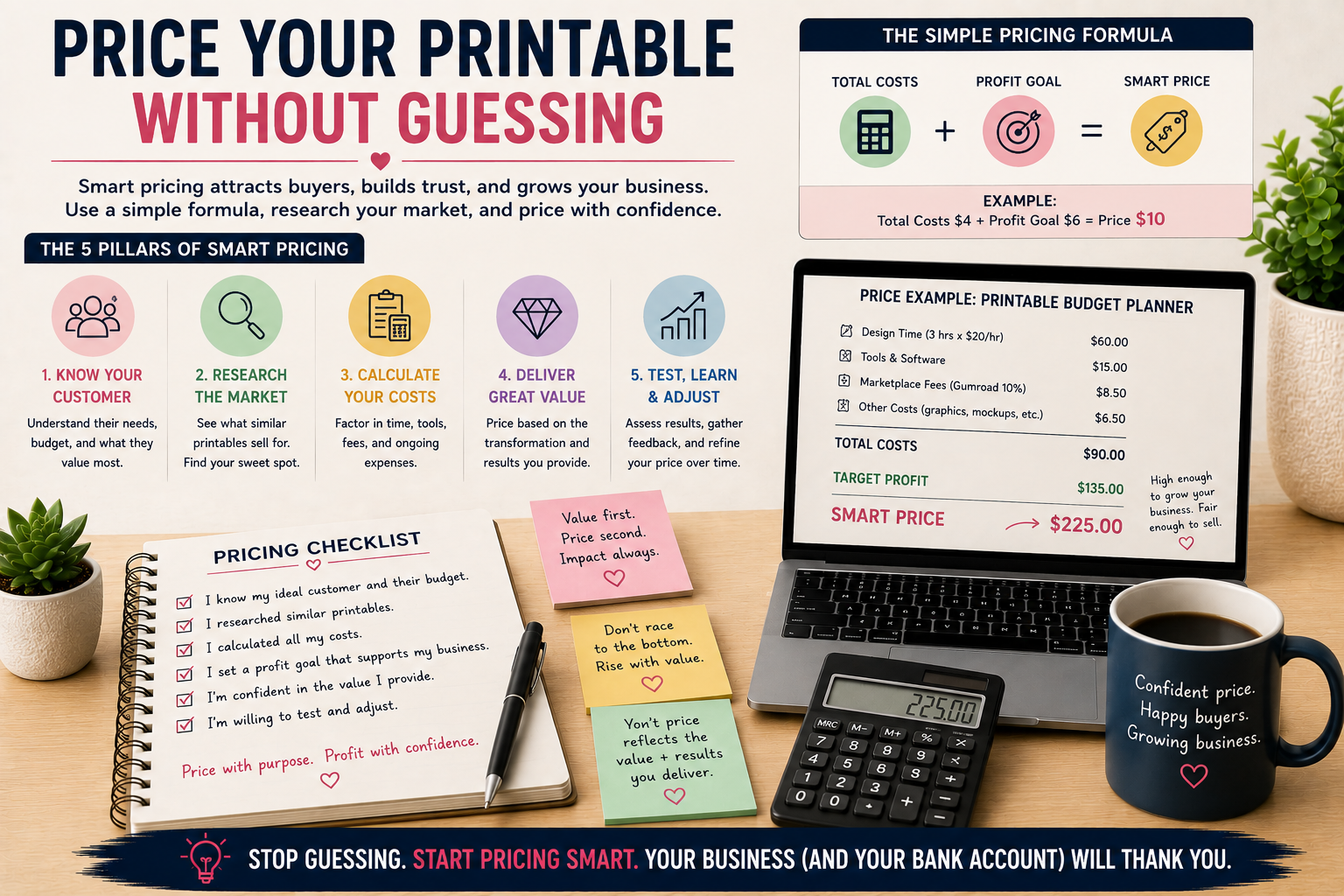
There is no universal correct price for a printable product.
Pricing depends on the customer, market, product depth, usefulness, licensing, positioning, and competition.
Copying the cheapest competitor is not a pricing strategy.
Research Comparable Products
Look at products that solve a similar problem for a similar customer.
Compare more than page count.
Consider:
- Depth.
- Originality.
- Specialization.
- Usability.
- Reusability.
- Supporting instructions.
- File formats.
- Licensing rights.
- Overall quality.
A ten-page resource that solves a specific problem can provide more value than 100 repetitive pages.
Avoid Competing Only on Price
Someone can almost always charge less.
Trying to become the cheapest seller can trap you in a race with no finish line.
Instead, make your product easier to understand and easier to trust.
Clear positioning, useful products, better presentation, transparent licensing, and reliable quality can all support stronger pricing.
Build a Product Listing That Answers Questions
Your listing has two jobs.
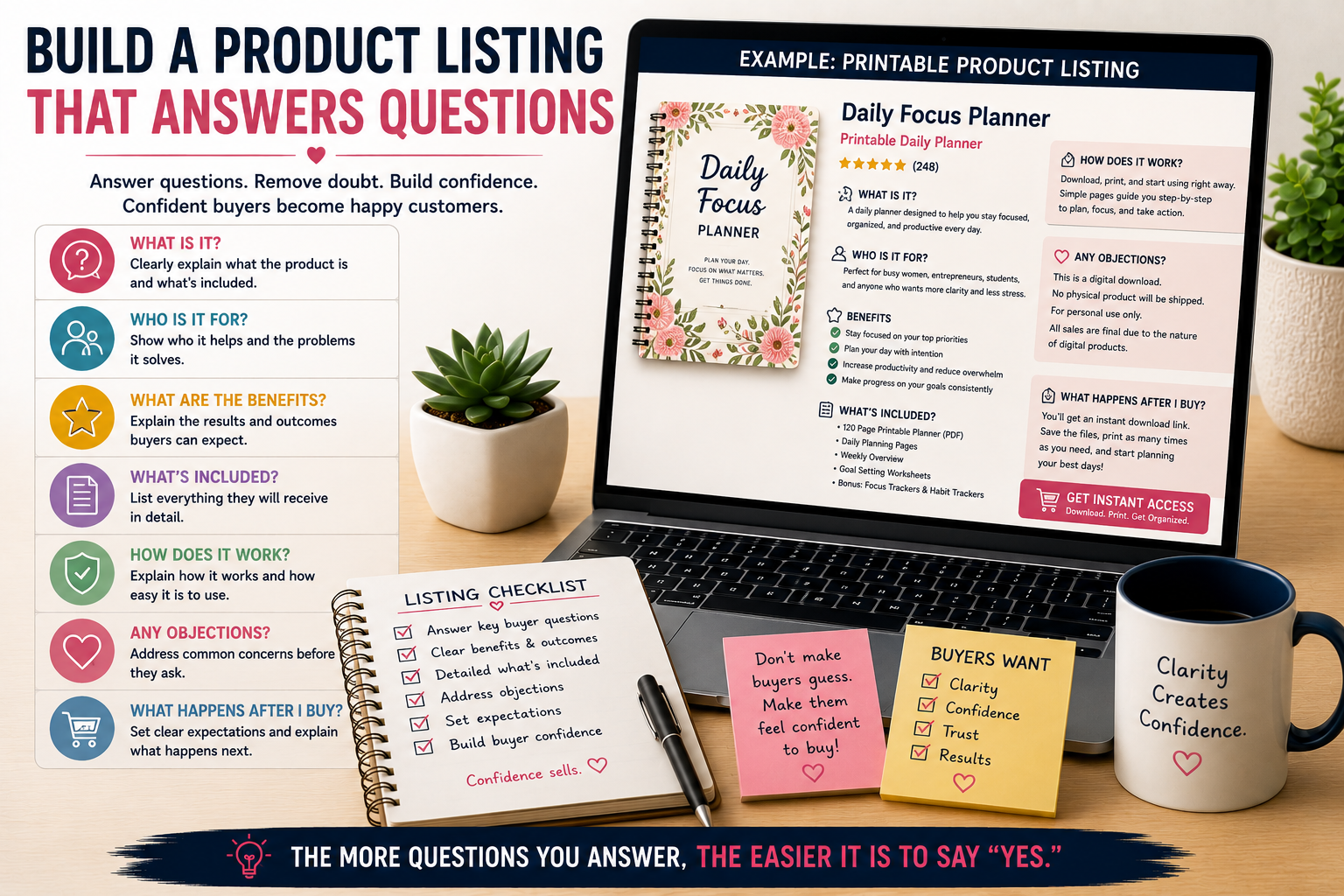
Help the right buyer discover the product.
Then help that buyer decide whether the product is right for them.
Write a Clear Product Title
Use language buyers understand.
Tell them what the product actually is.
Include relevant keywords naturally. Avoid stuffing every possible search phrase into the title.
Clarity helps customers and search engines understand the product.
Create Useful Product Images
Your product images should answer questions.
Show:
- Representative pages.
- What is included.
- Product dimensions.
- Important features.
- Possible uses.
- File formats when relevant.
Mockups can help customers visualize the product.
They should not hide what the customer actually receives.
Explain Benefits and Features
Features describe what is included.
Benefits explain why those features matter.
“25 printable activity pages” is a feature.
“Choose from 25 different activities whenever you need a quick screen-free option” explains the practical benefit.
Use both.
Answer Buying Objections
Think about what might stop someone from purchasing.
Questions may include:
Answer the questions before they become reasons to leave.
Launch Before Building an Expensive Marketing Machine
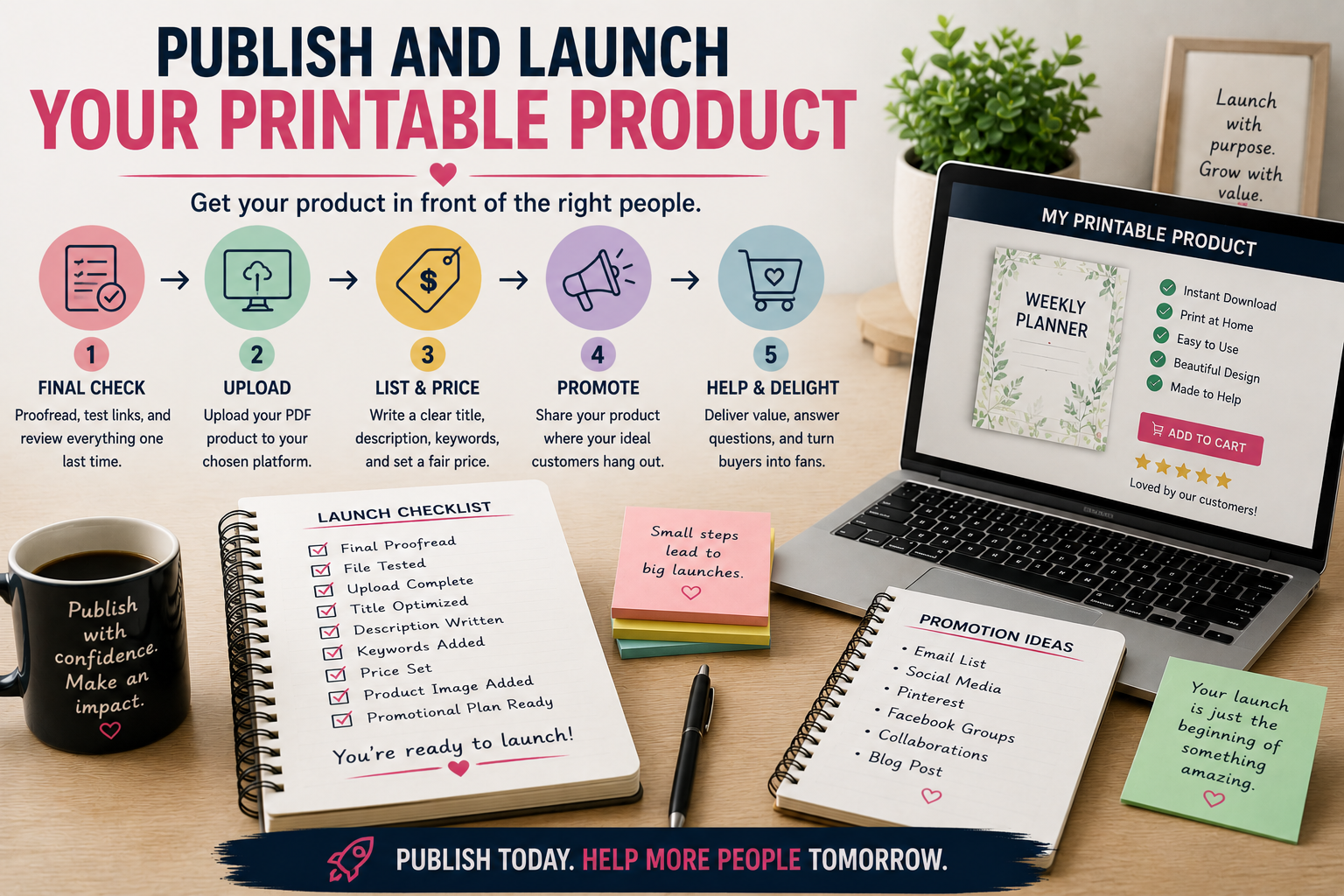
Marketing can consume money very quickly.
Do not assume paid advertising is the first step.
Get the product into the market first.
Publish the Product
Research eventually stops producing useful answers.
The product needs exposure to real customers.
Publishing gives you something speculation cannot.
Behavior.
Create Helpful Supporting Content
Create useful content around the problem your product addresses.
That might include:
- Tutorials.
- Blog posts.
- Demonstrations.
- Comparisons.
- Educational resources.
- Checklists.
The content should help someone accomplish something useful even if they never purchase from you.
That builds trust and gives search engines a stronger understanding of the topics your site covers.
Start Building Your Email List
A visitor who leaves your website may never return, even if they found your content helpful or were interested in one of your products. Building an email list gives those readers a simple way to stay connected with you instead of relying on them to remember your website and come back on their own.
You do not need an elaborate email funnel or a complicated automation system to get started. Give people a clear reason to join, explain what they can expect to receive, and then consistently deliver what you promised. A simple email relationship that provides something useful is far more valuable than a complicated system you are not ready to maintain.
That is also the idea behind Weekly Build Drops, where I share the actual work and lessons behind building CMC.
Learn From Real Customer Behavior
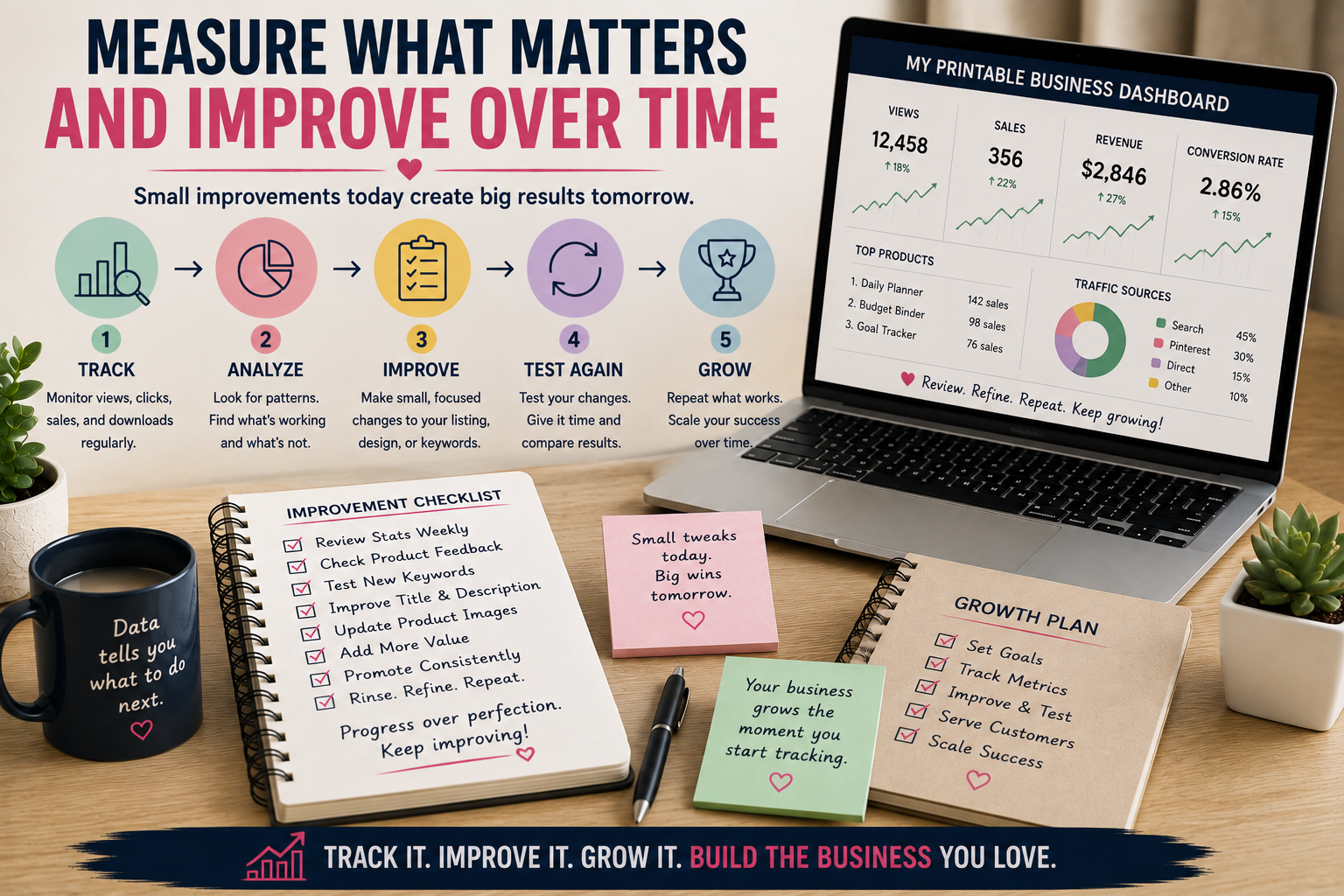
Your first launch gives you something planning and research cannot provide: actual customer behavior. You can finally see whether people find your product, click through to learn more, ask questions, join your email list, or make a purchase.
Your early numbers may be small, and that is completely normal for a new printable business. Instead of treating every click or missed sale as proof that something is working or failing, look for patterns over time. Those patterns can help you determine what deserves attention and what does not.
Diagnose Before Changing Everything
Different customer behaviors can point toward very different problems. If hardly anyone sees your product, you may have a discoverability problem involving keywords, search visibility, promotion, or where the product is being sold. If people see the product but rarely click, your title, featured image, positioning, or overall presentation may need attention.
The diagnosis changes again when people visit the product page but do not purchase. Price, trust, product-market fit, unclear benefits, weak product images, or unanswered questions could all be contributing factors. Do not rebuild your entire product because one metric disappoints you. Identify the most likely bottleneck first, make a focused improvement, and then see whether customer behavior changes.
Improve Before You Expand
One of the easiest reactions to weak sales is to assume you need more products. The problem is that creating more products can multiply an existing weakness instead of fixing it. Before starting another product, examine whether the current one is giving customers a strong enough reason to buy.
Look at the parts of the offer that directly affect the buying decision. Your product may need better images, clearer listing copy, stronger keywords, more specific positioning, different pricing, easier instructions, or more useful features. You do not necessarily need to change all of these things at once.
Improve the weaknesses you can actually identify, then watch what happens. Once you have a product and process that show signs of working, expanding your catalog becomes a much more informed decision.
Where Printable Business Beginners Waste Money
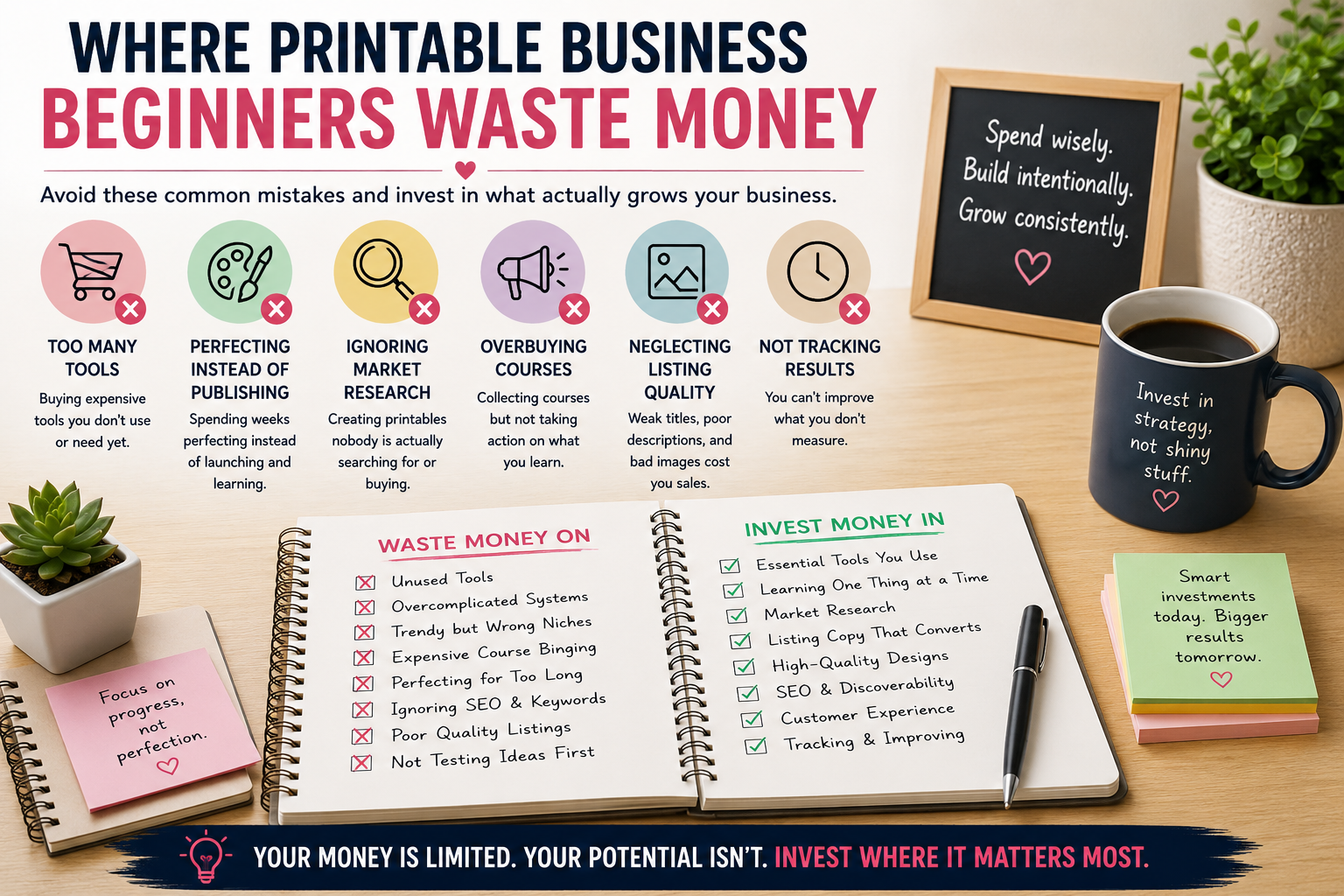
Most unnecessary spending happens when you pay to solve a problem before you know whether that problem actually exists. A new business makes it easy to justify purchases because almost everything can be described as an “investment.”
The better question is whether that investment helps you solve a current problem or simply makes the business feel more established. Learning to recognize the difference can protect your budget while keeping your attention on the work that actually moves the business forward.
Spending Too Much on Branding
Branding and professional presentation matter because customers use them as signals of quality and trust. That does not mean you need an expensive logo package, custom website, elaborate brand guide, or complete visual overhaul before you have validated your products.
A simple and consistent identity is enough to begin. Your products and customer experience need to prove themselves before expensive branding becomes the priority. As the business develops, you can improve the brand based on what the company actually becomes instead of paying to brand a business that still exists mostly as an idea.
Building Too Many Products Before Validation
A large catalog can create the appearance of progress because you have more products to count, display, and promote. Unfortunately, a large catalog does not automatically create demand. Ten variations of an idea customers do not want are still ten products customers do not want.
Use your early products to learn what attracts attention, what customers understand, what they purchase, and what they ignore. When a product or category begins showing meaningful signs of demand, that is a stronger reason to create related products. Expand what earns expansion instead of building inventory simply to make your store look full.
Paying for Traffic Too Early
Advertising can increase the number of people who see your product, but it cannot automatically make the product more appealing. If your listing is confusing, paid traffic simply sends more people to a confusing listing. If your positioning is weak, advertising exposes more people to the same weak positioning.
Before paying for traffic, examine what happens after someone arrives. Make sure the product is clearly explained, the images are useful, the offer makes sense, the price is defensible, and customers know exactly what they will receive. Fix the destination before paying to send more people there.
Buying Information Instead of Taking Action
Courses, templates, books, communities, tutorials, and AI tools can shorten your learning curve when they help you solve a specific problem. They become less useful when consuming information starts replacing the work of actually creating and publishing products.
There will always be another strategy to study and another tool to learn. At some point, you have enough information to take the next reasonable action, even if you do not know everything yet. If you continually study how to sell printables but never release one, more information is probably not what you need. You need execution and the real-world feedback that comes with it.
Your First 30 Days
You do not need to build a large printable business during your first month. A much more useful goal is to complete one working business loop from research through publication and review. That gives you a real product, a repeatable process, and actual information you can use to make better decisions.
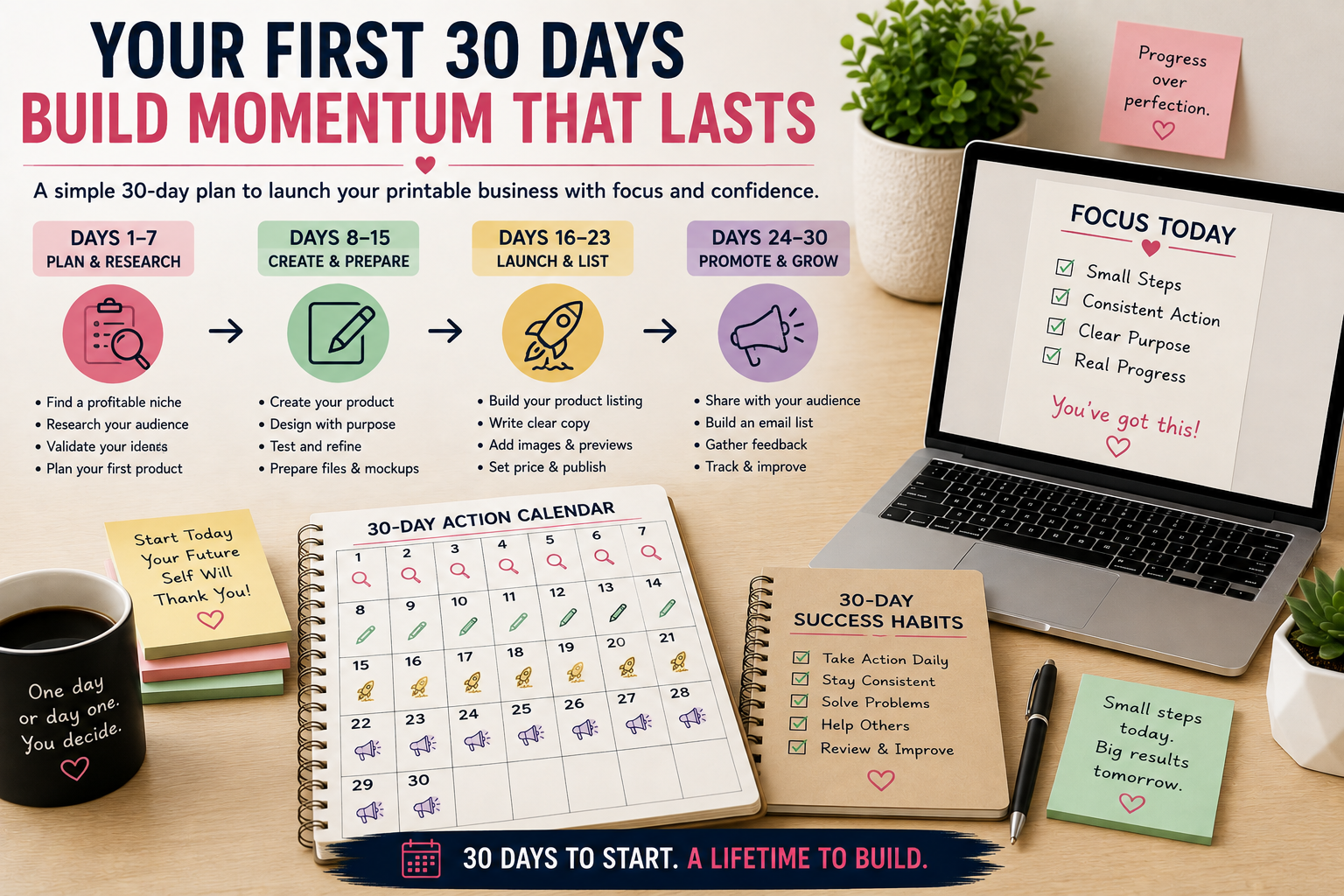
The following four-week schedule keeps the focus narrow enough to finish something. You can adjust the timing to fit your schedule, but try to preserve the sequence. Research before creating, test before publishing, and learn from the launch before rushing into the next product.
Week 1: Research and Validate
Use your first week to choose a customer, narrow your product category, and research what people already buy or search for in that market. Study competing products to understand common features, pricing, presentation, customer expectations, and recurring complaints.
Then look for a useful gap you can realistically fill. You are not trying to find an idea with zero competition. You are looking for enough evidence to justify creating one specific product and a clear reason why your version could be useful to the intended customer.
By the end of the week, you should be able to explain what you are creating, who it is for, what problem or desire it addresses, and why you believe the idea is worth testing. That gives Week 2 a clear starting point.
Week 2: Create the Product
Begin by defining the specifications before getting buried in design decisions. Decide what the product includes, its dimensions, approximate page count, file format, visual direction, and any other requirements that affect production.
Then create the product while keeping the original scope under control. New ideas will probably appear while you work, but every good idea does not need to become part of this product. Save unrelated ideas for later instead of allowing them to delay the product you already decided to build.
Document the basic workflow as you go, especially steps you expect to repeat on future products. Your goal for Week 2 is not perfection. It is to finish the product you promised without sacrificing the quality required for someone to confidently pay for it.
Week 3: Test and Prepare the Listing
Week 3 is where you stop looking at the product like its creator and start examining it like a customer. Proofread the content, test-print representative pages, verify the final files, and make sure everything works the way the listing will claim it works.
Once the product passes those checks, create product images that accurately show buyers what they are getting. Write the listing, determine the price, define your licensing terms, and organize the final download package. Each piece should reduce uncertainty rather than forcing customers to guess.
Before moving on, review the entire offer from the customer’s point of view. Ask whether someone seeing the product for the first time could quickly understand what it is, who it is for, what is included, how they can use it, and why it is worth the asking price.
Week 4: Publish and Learn
Week 4 is when the product stops being a private project and becomes something real customers can interact with. Publish the listing, test the buying and download process yourself, and make sure there are no unexpected problems between clicking the purchase button and receiving the files.
Create useful supporting content and begin giving interested visitors a way to join your email list. Then start documenting what actually happens instead of relying on what you hoped would happen.
Keep a simple record of what worked, what failed, what took longer than expected, what questions customers asked, and what appears to need improvement. Also record ideas for what you might create next, but do not automatically begin product number two. What you learn from the first launch should help shape that decision.
What Your First Printable Business Really Needs
After your first month, you do not need a huge product catalog or hundreds of sales to have made meaningful progress. what matters more is whether you have built the basic foundation required to create, sell, and improve products without starting from zero every time.
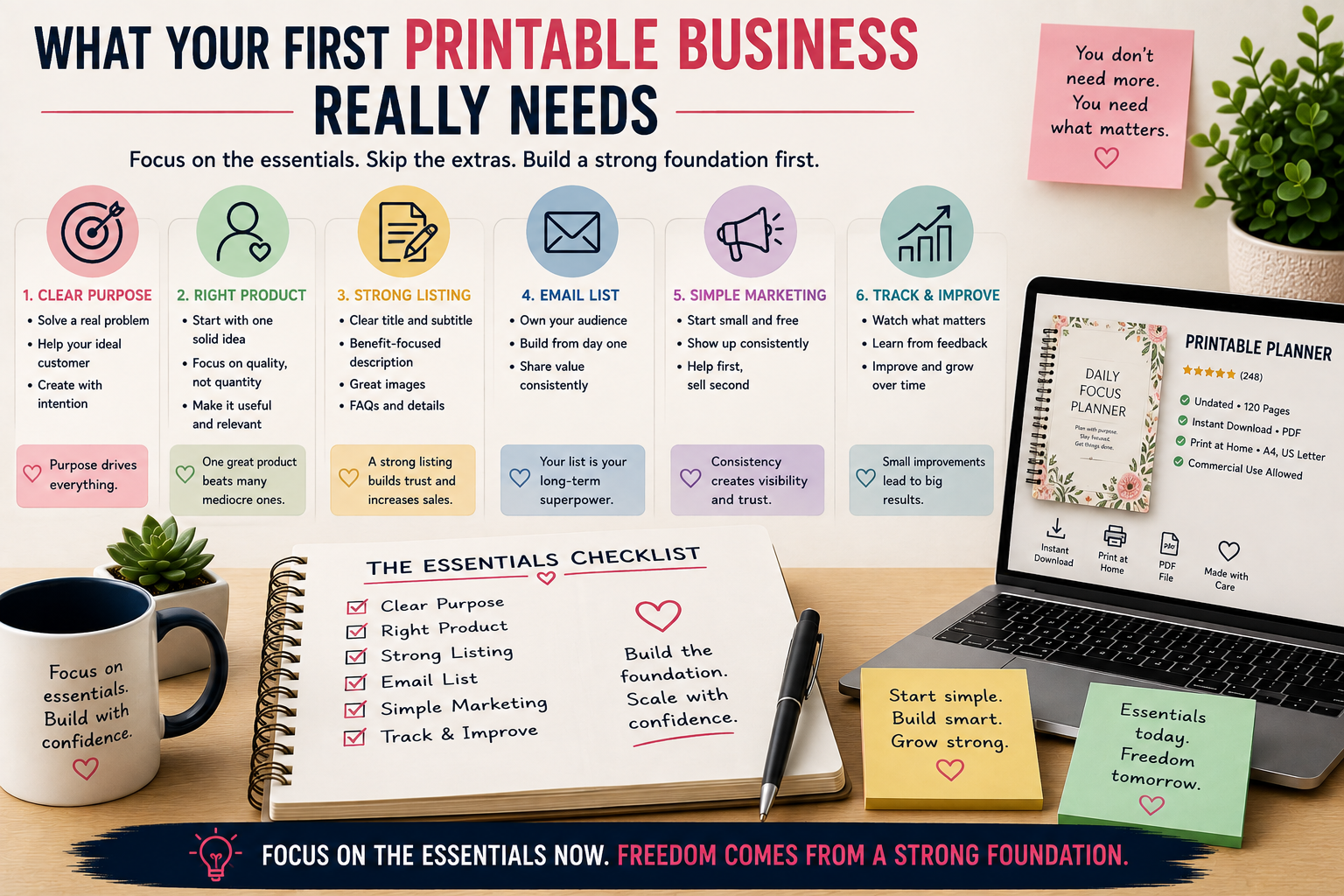
That foundation should include a defined customer, a validated product concept, a finished and tested printable, clear licensing, and an organized product listing. You should also have a working sales channel, a repeatable creation process, a way to grow your email audience, and at least some real information from the market.
Those pieces matter because they turn an idea into an operating process. You now know how to take a product from concept to publication, and you have evidence showing where that process needs improvement. At that point, your printable business is no longer hypothetical. You have something real that you can refine, repeat, and eventually scale.
Related Reading
This startup checklist gives you the overall path, but several parts of the process deserve a deep look. These related Color Me Crazy Club guides can help you work through the next stage without trying to solve every part of the business at once.
The Complete Product Creation System for Printable Businesses walks through the broader creation workflow from product idea to finished digital product. Use it when you are ready to turn the basic startup process into a more repeatable production system.
How to Validate Printable Product Ideas Before You Create Them focuses specifically on testing ideas before investing hours in production. It is a useful next step when you have several ideas and need a better way to decide which one deserves you attention.
How to Design Printables That Customers Love to Use goes deeper into readability, organization, usability, and the customer experience. Use it when you have chosen what to create and want to make sure the finished product works as well for the customer as it looks on your screen.
Frequently Asked Questions
Build the Process Before You Build the Empire
You will eventually spend money on your printable business, and avoiding every expense is not the goal. A useful tool, better production system, professional service, or new sales channel can become a smart investment when it solves a real problem and supports a business that is already moving forward.
What matters is the order in which you make those investments. Start with one customer, solve one useful problem, validate one idea, and create one quality product. Test it carefully, publish it, and pay attention to what customers actually do.
Then use that information to make your next decision better than your last one. Some products will work better than expected, some will need changes, and others may show you that the original idea was wrong. That is useful information because you are learning from the market instead of continuing to spend money based entirely on assumptions.
A printable business does not become real because you own expensive software, have a polished logo, or fill a storefront with dozens of products. It becomes real when you develop a repeatable way to create something useful, put it in front of customers, learn from the response, and improve what you do next.
Join the Weekly Build Drops
Want to see what happens after the startup checklist? Weekly Build Drops follows the actual process of building Color Me Crazy Club, including researching product ideas, creating new resources, publishing pages, testing strategies, fixing what does not work, and deciding what gets built next.
The goal is not to pretend every product or experiment becomes an immediate win. It is to show the work, the results, and the lessons that come from building a real digital-product business one decision at a time.
If that kind of behind-the-scenes approach would help you build your own printable business, join Weekly Build Drops and follow along as the next pieces are built.