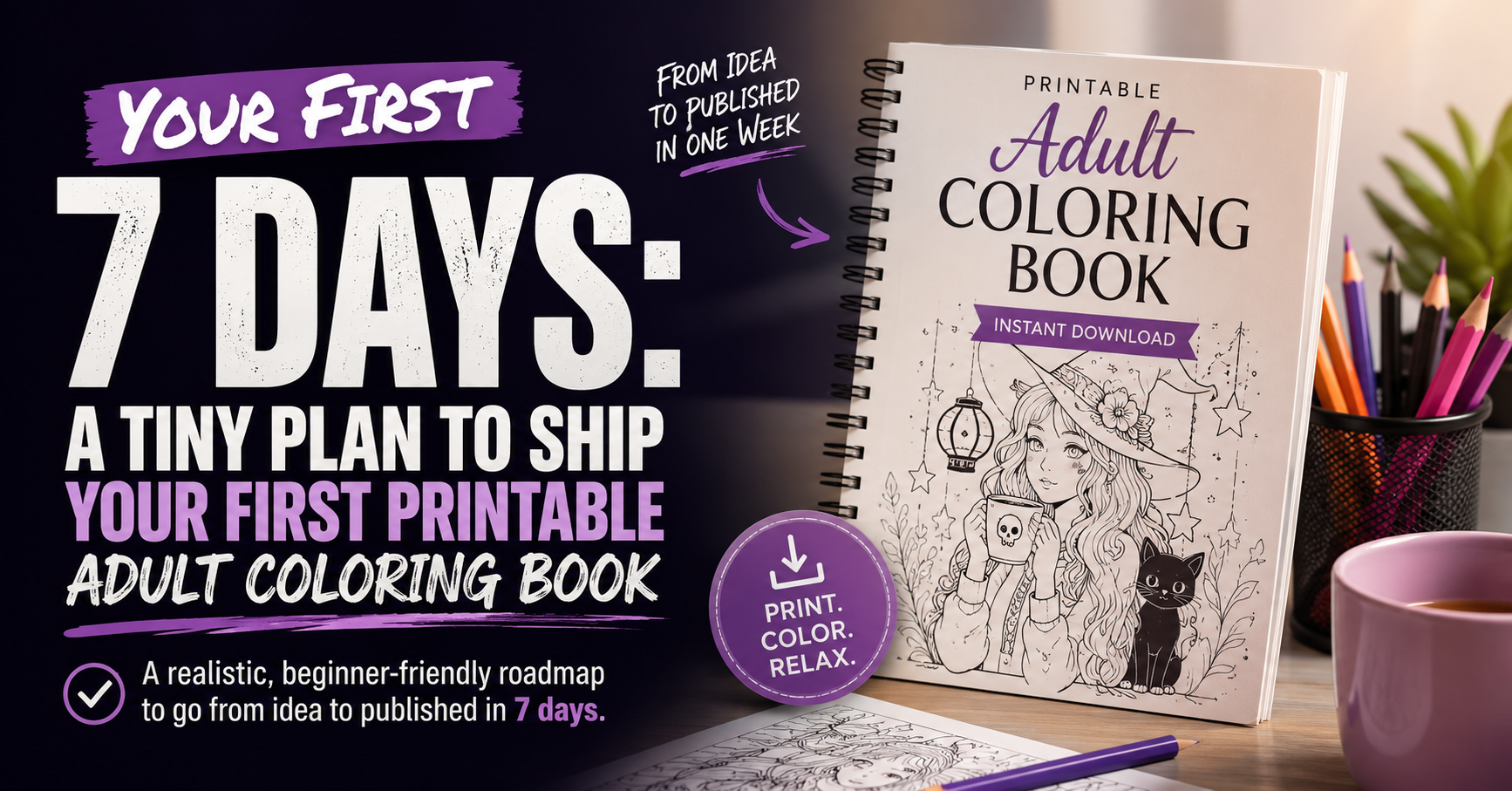
Your First 7 Days: A Tiny Plan to Ship Your First Printable Offer (Adult Coloring Book)
A simple, no-hype plan to go from “idea” to a real GumRoad listing you can improve.
If you’re starting from zero, the hardest part isn’t making something pretty
It’s shipping something real.
This 7 – day plan is built for one goal: publish your first adult coloring book offer (digital download) without getting stuck in perfection mode.
You don’t need 40 pages. You don’t need a fancy brand. You don’t need a huge audience. If you’re still deciding whether printable coloring books are the right fit for you, start with our Start Here: Your First Printable Coloring Book guide before continuing.
You need one finished product, one clear buyer, and a simple way to learn what to fix next.
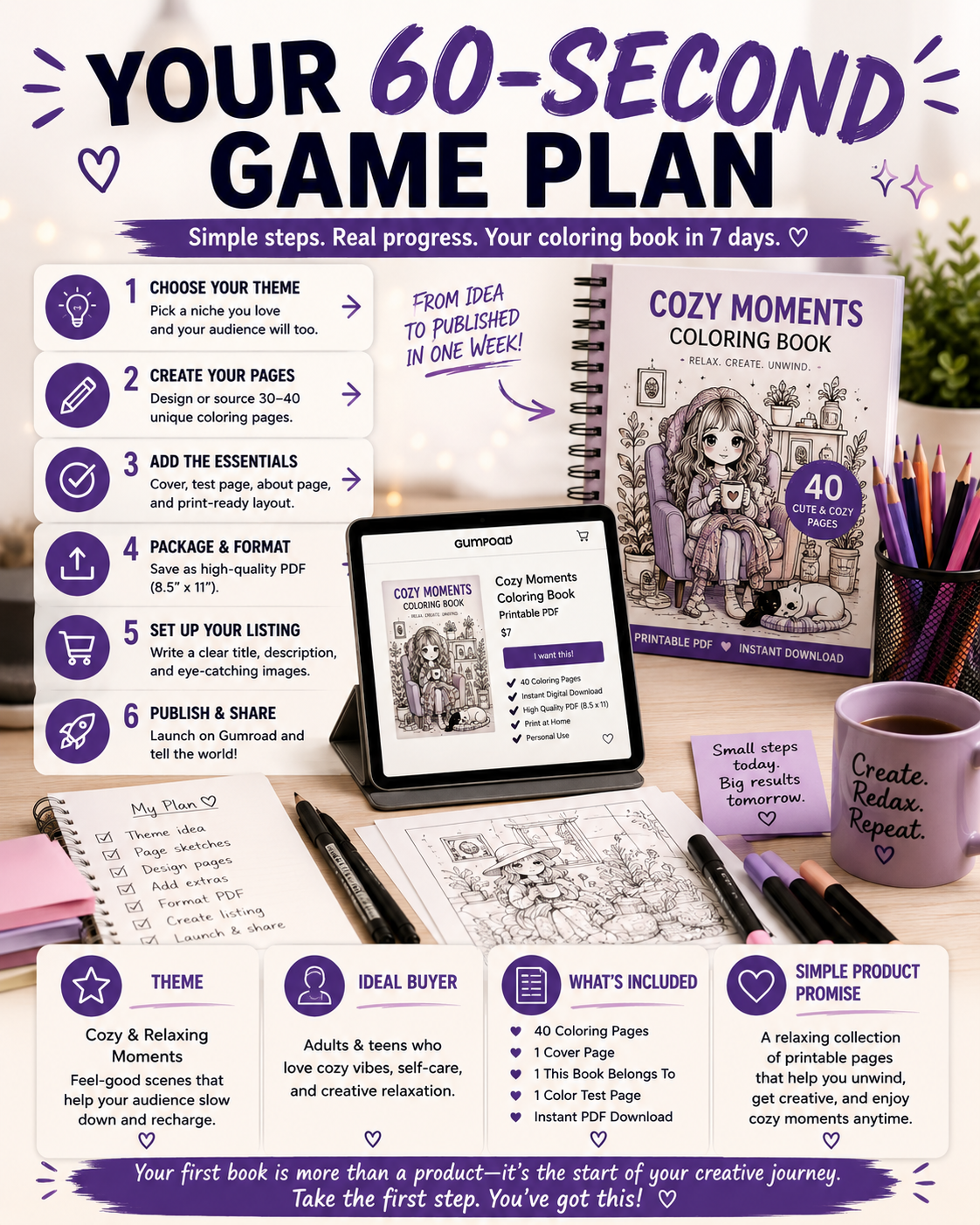
Your 60 – Second Game Plan
What you’re building (and what you’re not)
Before you open Canva, generate artwork, or think about product listings, it’s important to understand the goal for this week.
You’re not building your dream business.
You’re building your first finished product.
There’s a big difference.
Many new creators accidentally turn their first project into an impossible standard. They convince themselves every page has to be flawless, every graphic perfectly branded, and every product feature completely polished before anyone can see it.
That’s a fast way to spend months creating nothing customers can actually buy.
This first project has one purpose: prove that you can finish something.
During these seven days, your goal is to create:
- One printable adult coloring book with a clear theme.
- A clean, printable PDF buyers can immediately download.
- One printable adult coloring book with a clear theme.
- A simple GumRoad listing that explains the experience honestly.
- A foundation you can continue improving with every future release.
Here’s what you’re not building this week:
- A 200 – page masterpiece.
- A complete product catalog.
- A perfect brand identity.
- A complicated sales funnel with endless automations.
Those things can come later.
Right now, your job is much simpler.
Publish. Learn. Improve. Repeat.
That’s the cycle that builds real businesses.
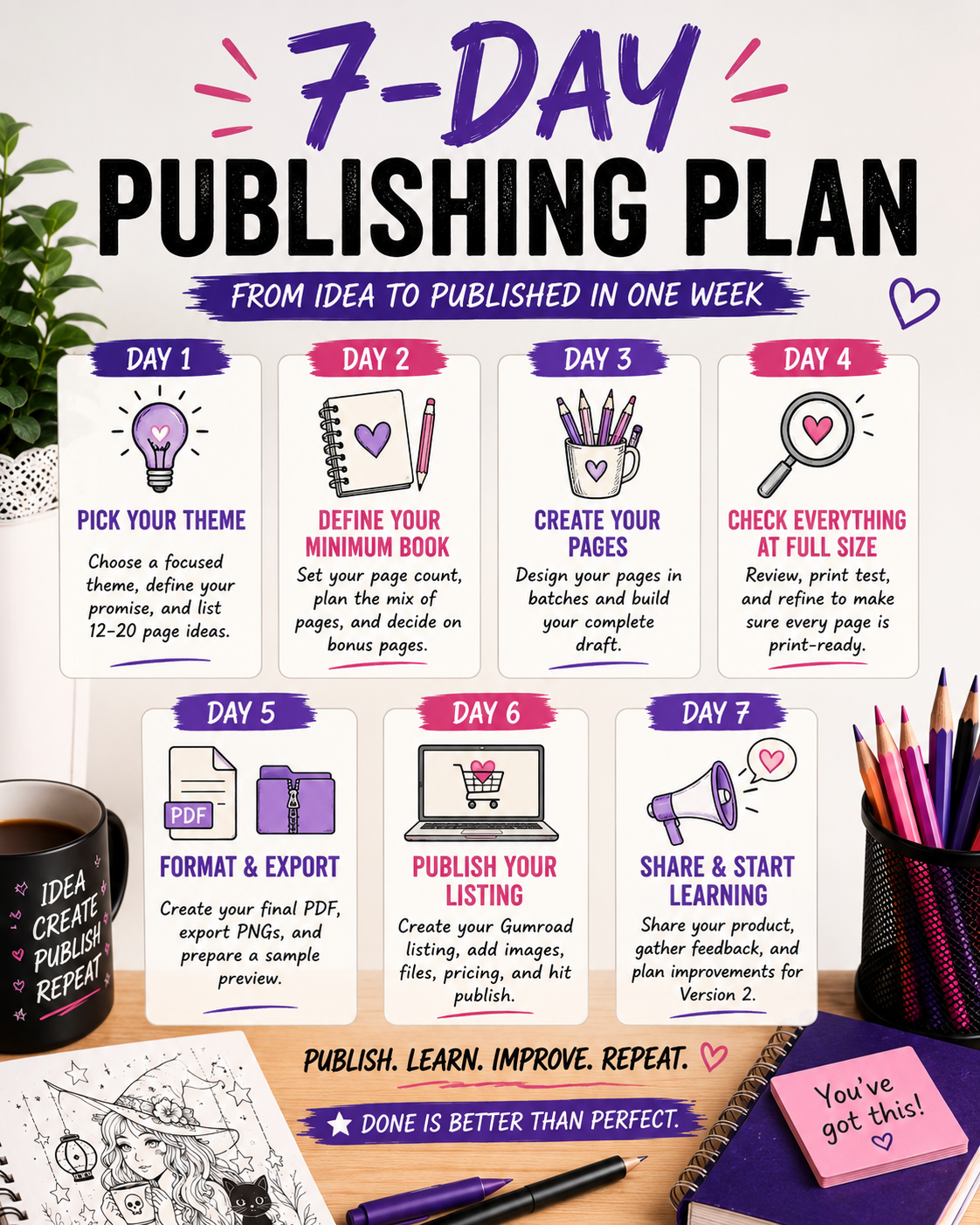
The 7 – Day Publishing Plan
Day 1: Pick a theme You Can Actually Finish
The first decision often becomes the biggest obstacle.
New creators frequently choose themes that are too broad because they’re afraid of limiting their audience.
Ironically, the opposite is usually true.
A focused theme is easier to create, easier to market, and easier for buyers to understand.
Instead of making “Cute Animals,” narrow it down.
Think:
- Cozy Forest Animals
- Spooky Cute Kawaii Goth Girls
- CottagecoreCats
- Magical Tea Dragons
- Whimsical Garden Fairies
The more specific your theme becomes, the easier it is to generate ideas that naturally fit together.
Before committing, ask yourself three simple questions.
Can I create enough variety for this idea?
Can I describe it in one sentence?
Can I immediately picture the person who would enjoy coloring it?
If the answer is yes to all three, you’re on the right track.
Choosing the right niche is only half the battle. Once you’ve picked a theme, using the right keywords can help buyers actually find your products. Learn more in SEO Keywords for Printables.
Your goal for Day 1
By the end of today, you should have:
- A finalized theme.
- A one-sentence promise describing the coloring experience.
- A quick list of 12 – 20 page ideas you’ll create throughout the week.
Don’t worry about making the perfect list.
You’re creating a roadmap, not carving it into stone.
Day 2: Define Your Minimum Viable Coloring Book
One of the biggest myths in the printable world is that your first product has to be huge.
It doesn’t.
A polished 15 – page coloring book that prints beautifully will almost always outperform a half – finished 50 – page project that never gets published.
Think of your first release as Version 1.0.
You’re building something complete – not something enormous.
Keep your scope intentionally small so you can finish with confidence.
A solid first coloring book might include:
- 10 – 20 unique coloring pages.
- One “This Book Belongs To” page
- One or two simple bonus pages, such as bookmarks, pattern practice, or an additional decorative title page.
These extras don’t take long to create, but they help your product feel more complete and thoughtful.
Your goal for Day 2
By the end of the day, you should know:
- Your target page count.
- The overall mix of easy, medium, and more detailed illustrations.
- The bonus pages you’ll include.
Once those decisions are made, stop planning.
Tomorrow is all about creating.
Day 3: Create Your Pages in Batches
Now it’s time to stop planning and start producing.
This is where many first – time creators get stuck.
They spend an hour tweaking one page, another hour choosing fonts, and another hour deciding whether a tiny detail should be moved a few pixels to the left. By the end of the day, they’ve “worked” for hours but have very little to show for it.
Instead, work in batches.
Batching keeps your momentum high because you’re repeating the same task over and over instead of constantly switching between designing, editing, organizing, and second – guessing yourself.
For example, if you’re creating an adult coloring book about spooky-cute goth girls, don’t fully finish one illustration before starting the next. Generate or sketch several pages first, then move through the editing process in groups.
This approach helps maintain a consistent style throughout the book and dramatically speeds up production.
As you work, remember one important rule:
Perfection is not the goal. Completion is.
If a page looks clean, prints well, and fits your theme, move on.
Every illustration doesn’t have to become your favorite piece of artwork.
Your customers want a fun, relaxing coloring experience – not museum – quality perfection.
A few rules that will keep you moving
- Give each page only one dedicated editing pass.
- If it’s approximately 80% of what you envisioned, keep it.
- Prioritize variety over perfection.
- Don’t compare today’s pages to what you’ll be capable of creating a year from now.
Every finished page teaches you something. Wondering exactly what buyers expect inside a printable coloring book? Take a look at What’s Inside My Digital Coloring Books.
Every unfinished page teaches you nothing.
Your goal for Day 3
By the end of today, your should have:
- Every coloring page created.
- A folder containing all of your working files
- A complete draft of your coloring book.
Even if a few pages still need polishing tomorrow, resist the urge to start over.
Keep moving forward.
Day 4: Check Everything at Full Size
Today’s work isn’t glamorous, but it might be the most important day of the entire project.
Quality control separates products people happily recommend from products that generate refund requests.
A coloring page that looks great while zoomed out on your monitor can reveal all kinds of problems once it’s printed on a standard letter – size paper.
Before exporting anything, review every page at its intended print size.
Look carefully for issues such as:
- Broken or disconnected lines.
- Random marks or unwanted artifacts.
- Gray, fuzzy edges caused by low-quality source images.
- Tiny details that disappear when printed.
- Lines that are too thin to color comfortably.
- Objects that accidentally blend together.
If possible, print several sample pages using the same type of printer many of your customers will use.
Seeing your work on paper often reveals problems that are impossible to notice on a computer screen.
This is also a good time to ask yourself a few practical questions.
Does every page fit the overall theme?
Is there enough variety throughout the book?
Do the easier and more detailed pages feel balanced?
Would you enjoy coloring this book yourself?
If the answer to any of those questions is “not quite,” make the necessary adjustments now.
Small improvements during quality control can dramatically improve the customer’s experience.
Your goal for Day 4
By the end of today, you should have:
- A folder containing only your final approved pages.
- Any weak illustrations replaced or corrected.
- Confidence that every page is ready for customers to print.
Taking an extra hour here is far better than disappointing buyers later.
Day 5: Format and Export Your Files
You’ve done the creative work.
Now it’s time to package everything in a way that’s simple for buyers to download and use.
One of the easiest ways to create a better customer experience is to provide files that work immediately without requiring extra effort.
For most printable coloring books, your exports should remain straightforward.
I recommend including:
- A high-quality printable PDF (8.5″ x 11″)
- A ZIP folder containing individual PNG files for each page.
- An optional three-page sample PDF that potential buyers can preview before purchasing.
Offering both PDF and PNG files gives customers flexibility.
Some people prefer printing the entire book from a PDF. Adobe also provides an excellent guide for printing PDF documents correctly if you’re new to working with printable files. Check out Print PDFs in Acrobat Reader for full information.
Others only want to print one page at a time.
Providing both formats removes friction and increases the perceived value of your product without requiring much additional work.
Before you upload anything, double-check that:
- Every page is in the correct order.
- File names are clear and organized.
- The PDF opens correctly.
- The ZIP file extracts without errors.
- All pages print at full size without scaling issues.
These quick checks help prevent avoidable customer support emails later.
If you’re still learning how printable digital products work, including file formats and what customers receive after purchase, read Digital Coloring Book Printables for a complete beginner’s overview.
Your goal for Day 5
By the end of today, you should have:
- Your final printable PDF.
- Your completed PNG ZIP folder.
- An optional sample PDF ready for marketing.
With your files finished, you’re ready for the step many creators avoid for far too long:
Publishing.
Day 6: Publish Your First GumRoad Listing
This is the day that turns your project into a real product.
For many new creators, publishing feels more intimidating than creating the artwork itself. Suddenly, you’re asking yourself questions like:
“What if nobody buys it?”
“what if someone leaves a bad review?”
What if it’s not good enough?”
Those thoughts are completely normal.
But here’s something worth remembering: an unpublished product has a 0% chance of making a sale.
A published product gives you something even more valuable than revenue – it gives you feedback
Your first listing doesn’t need to sound like a professional sales page. It simply needs to answer the questions every buyer has before they click the purchase button.
If you’re new to GumRoad, the official Help Center includes tutorials for setting up products, uploading files, pricing, and managing digital downloads.
Tell buyers exactly what they’re getting
Avoid vague descriptions like:
“Amazing printable coloring experience!”
Instead, explain the product in plain English.
Who is it for?
What’s included?
How will someone use it?
What files do they receive?
How do they print it?
The easier those questions are to answer, the easier it becomes for someone to make a buying decision.
Remember, people aren’t just purchasing pages to color.
They’re buying a relaxing activity after work.
They’re buying a creative break from scrolling social media.
They’re buying quiet time with a cup of coffee, a set of colored pencils, and thirty minutes to themselves.
Describe that experience honestly.
Keep your listing organized
Your product page doesn’t need dozens of sections or endless paragraphs.
A clean structure is usually more effective.
Include:
- A clear product title that describes the theme and format.
- Three to five benefit-focused bullet points.
- A simple list of everything included.
- Printing recommendations.
- Personal-use licensing information.
- A few high-quality preview images showing the interior pages.
People shouldn’t have to guess what they’re buying. Publishing your product is only the beginning. Once it’s live, you’ll need a steady source of traffic, and Pinterest is one of the best long-term platforms for printable creators. Learn how in How to Use Pinterest to Sell Printables Without Posting Every Day.
Show them.
Write like you’re talking to one person
One mistake many new creators make is trying to sound like a big company.
Instead, write the way you’d explain your product to someone sitting across the table from you.
Be helpful.
Be honest.
Be specific.
If your coloring book is designed for cozy evenings, say so.
If it’s meant for beginners, mention that.
If it prints best on standard letter-size paper, include that information.
Simple, conversational writing builds trust much faster than exaggerated marketing language.
Your goal for Day 6
By the end of today, you should have:
- Your GumRoad product published
- Product images uploaded.
- Pricing added.
- Download files attached.
- A listing you’re proud to share – even if you already know you’ll improve it later.
Remember, Version 1 doesn’t have to be your best work.
It just has to exist.
Gumroad’s official guide explains how to upload digital files, organize product content, and prepare your listing for customers.
Day 7: Share It, Then Start Learning
You’ve spent the week creating something real.
Now comes the part that actually teaches you how to build a business.
Share it.
That’s it.
You don’t need an elaborate launch sequence or weeks of promotional content.
Post it once.
Email your list if you have one.
Tell your friends.
Share it in communities where it’s genuinely relevant.
Then pay attention.
Not to vanity metrics.
Not to likes.
Not to follower counts.
Pay attention to what real people actually do.
Do they click?
Do they download the sample?
Do they ask questions?
Do they buy?
Every response gives you information you can use to make your next product even stronger.
Before you move on to another project…
Take ten minutes to write down everything you noticed while creating this one.
Ask yourself questions like:
- Which pages were the most fun to create?
- Which pages took far too long?
- What part of the workflow felt frustrating?
- What would make the next coloring book easier to finish?
- What would make the customer experience even better?
These notes become incredibly valuable over time.
They’re the beginning of your own production system.
Some simple improvements might look like this:
- Add ten more illustrations to create an expanded edition.
- Redesign the cover with stronger typography.
- Improve the product preview images.
- Rewrite the first few benefit bullets.
- Organize the pages into a more satisfying progression.
- Add another bonus activity page.
Notice that none of these improvements require starting over.
You’re building on what you’ve already created.
That’s how sustainable businesses grow.
Your goal for Day 7
By the end of today, you should have:
- Shared your product at least once.
- Written a list of improvements for Version 2.
- Started thinking about your next printable instead of endlessly tweaking your first one.
One finished product teaches more than a dozen unfinished ideas ever will.
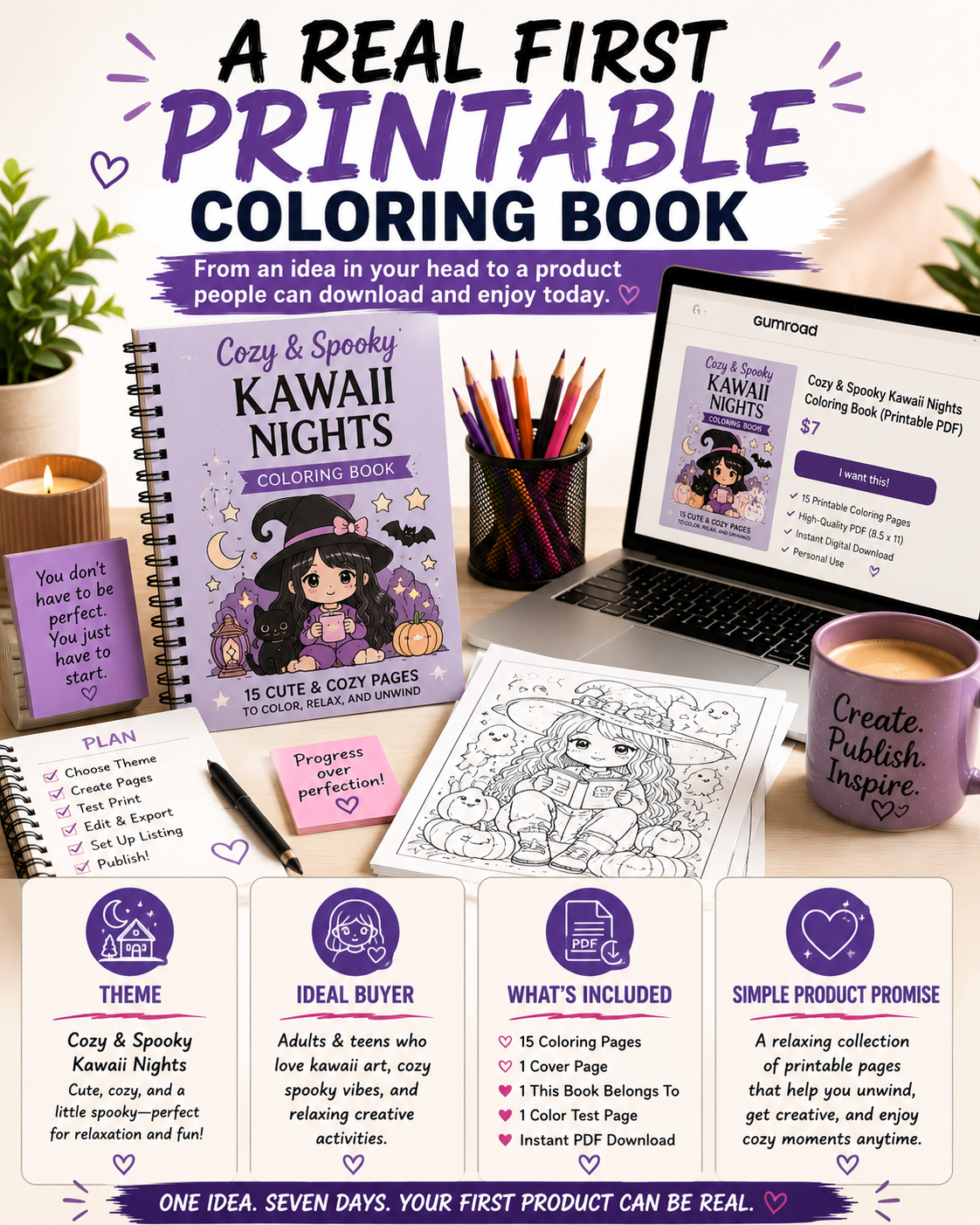
Example: A Real First Printable Coloring Book
Let’s put everything together with a practical example.
Imagine you’re creating your very first printable adult coloring book.
Instead of trying to appeal to everyone, you choose a focused niche with a clear personality.
Theme
Spooky Cute Kawaii Goth Girls
The concept is simple:
Cute, playful, slightly spooky characters with a cozy gothic vibes that fee fun rather than frightening.
Ideal Buyer
Adults and older teens who enjoy:
- Cute spooky aesthetics.
- Kawaii artwork.
- Relaxing coloring sessions.
- Halloween-inspired designs they can enjoy all year long.
Rather than trying to attract every coloring enthusiast, this product speaks directly to people who already love this style.
That’s exactly what you want
What’s Included
A small but complete printable package might contain:
- 15 unique coloring pages with varying levels of detail.
- One “This Book Belongs To” page.
- One printable bookmarks page.
- Instant-download PDF.
- PNG ZIP containing each page individually.
- A three-page sample PDF for previews.
Notice that this isn’t a massive product.
It’s intentionally manageable.
Because it’s manageable, it gets finished.
And because it gets finished, it can start generating sales while you’re already working on the next release.
A Simple Product Promise
Your listing doesn’t need dramatic marketing language.
Something like this is often far more effective:
“Enjoy a collection of cozy-spooky kawaii goth girl coloring pages you can print at home whenever you’re ready for a relaxing creative break.”
It’s specific.
It’s honest.
It sets clear expectations.
And it speaks directly to the experience buyers are looking for.
A Simple GumRoad Listing You Can Build From
One advantage of selling digital printables is that your product page doesn’t have to be complicated.
Buyers appreciate clarity.
If they can quickly understand what they’re getting, who it’s for, and how they’ll use it, they’re much more likely to complete their purchase.
Here’s a simple structure that works well for a first printable coloring book.
What You’ll Receive
- 15 printable coloring pages (8.5″ x 11″)
- 1 “This Book Belongs To” page
- 1 printable bookmarks page
- Instant digital download
- Printable PDF
- Individual PNG files in a ZIP folder
Perfect For
This printable coloring book is ideal for people who enjoy:
- Cozy coloring sessions after a busy day.
- Cute spooky artwork that’s playful instead of scary.
- Colored pencils, alcohol markers, gel pens, or crayons.
Printing Tips
For the best results:
- Print at Actual Size or 100% Scale.
- Use standard 8.5″ x 11″ paper or your favorite coloring paper.
- Print individual pages whenever you want a fresh coloring experience.
License
This download is intended for personal use unless you’ve purchased a commercial license.
Keeping this information clear helps set expectations before customers buy, reducing confusion and support requests later.
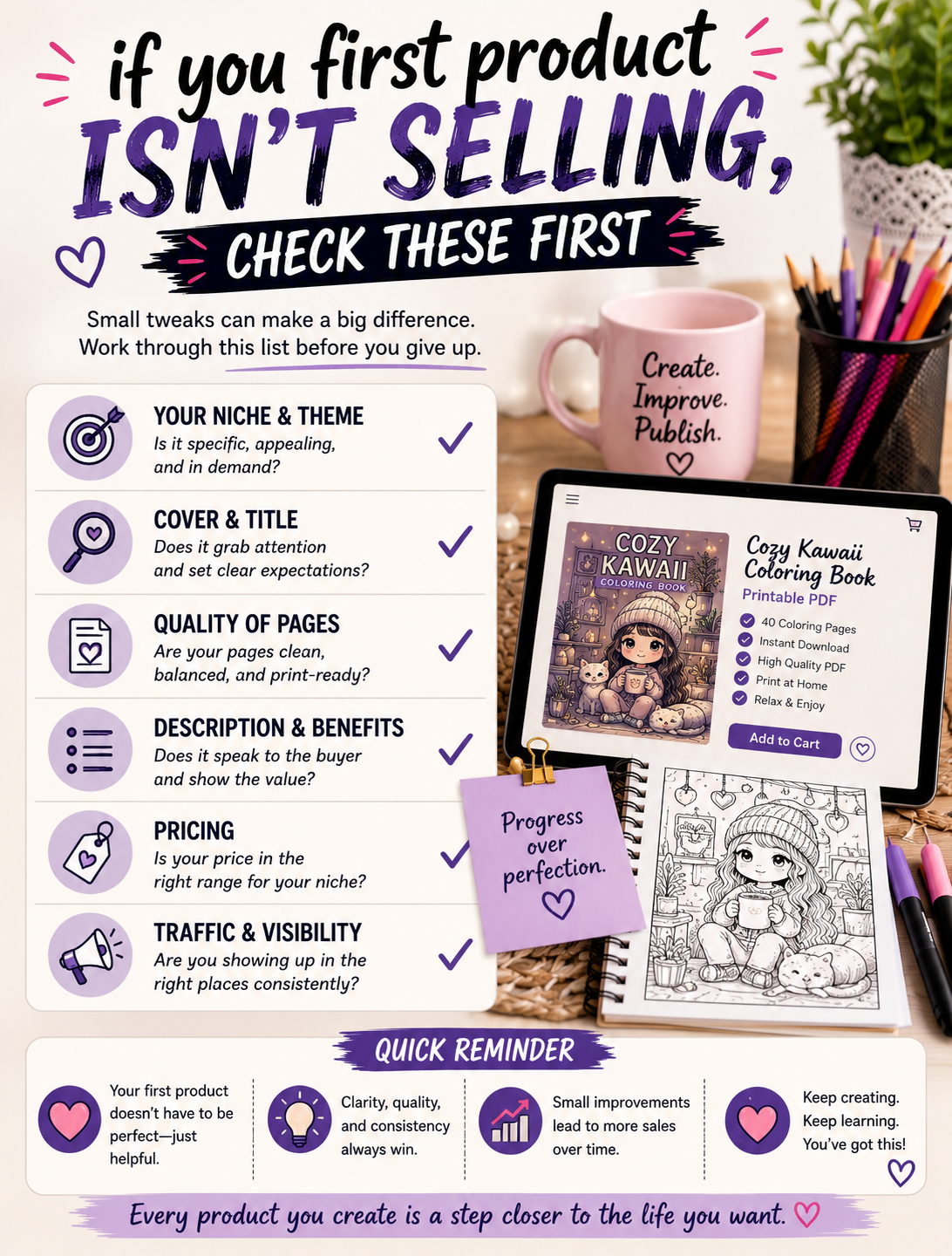
If Your First Product Isn’t Selling, Check These First
Every creator eventually launches a product that doesn’t perform the way they hoped.
That doesn’t automatically mean the artwork is bad.
In many cases, the problem isn’t the product – it’s how it’s being presented.
Sometimes the problem isn’t your product – it’s that the right people can’t find it. Optimizing your keywords can dramatically improve visibility, so be sure to read SEO Keywords for Printables: How to Find Low-Competition Keywords that Actually Bring Buyers.
Before creating an entirely new coloring book, review these common issues.
Your Theme Is Too Broad
A coloring book called Cute Stuff doesn’t tell buyers much.
A coloring book called cozy autumn gnomes, cute camping cats, or Spooky Cute Kawaii Goth Girls immediately paints a picture.
Specific themes are easier to understand and easier to search for.
If someone already loves your niche, they’ll instantly recognize that your product was made with them in mind.
Your Preview Images Don’t Tell the Story
Customers can’t flip through a digital coloring book the way they can in a bookstore.
Your preview images have to do that job.
Show several interior pages.
Include different levels of detail.
Let buyers see exactly what they’ll be coloring.
If every preview image looks nearly identical, visitors may assume every page is the same.
Variety builds confidence.
Your Lines Don’t Print Well
Beautiful artwork loses its appeal quickly if customers can’t enjoy coloring it.
Before publishing, print several pages yourself.
Watch for:
- Broken outlines.
- Thin lines that disappear.
- Gray or blurry edges.
- Random marks.
- Areas that feel crowded or difficult to color.
Print quality directly affects customer satisfaction.
Your Title Doesn’t Match What People Search For
Image someone searching for:
- Printable adult coloring book
- Goth girl coloring pages
- Kawaii coloring book PDF
- Halloween coloring pages for adults.
Now compare those searches with a vague title like:
Creative Fun Collection
Search engines – and buyers – have no idea what that means.
A descriptive title helps people immediately understand your product while improving discoverability.
Your Description Lists Features Instead of Benefits
Features tell buyers what’s included.
Benefits explain why they’ll enjoy it.
For example:
Feature:
15 printable coloring pages.
Benefit:
Enjoy a relaxing collection of printable coloring pages whenever you need a quiet creative break.
Both are useful.
The strongest listings include both.
Common Mistakes New Printable Creators Make
Most beginners don’t fail because they lack talent.
They struggle because they unknowingly slow themselves down.
If you can avoid these mistakes, you’ll make faster progress than you probably expect.
Waiting Until Everything Is Perfect
Perfection is a moving target.
If you keep waiting until every page feels flawless, you’ll never publish.
Finished products create opportunities.
Perfect products usually remain unfinished.
Making Every Page Look the Same
Consistency matters.
Repetition doesn’t.
Include a healthy mix of:
- Beginner-friendly pages.
- Medium-detail illustrations.
- More intricate designs.
This gives buyers a more enjoyable experience and keeps the book feeling fresh from beginning to end.
Skipping Quality Control
Never assume an image that looks good on your monitor will automatically print well.
Always review your pages at full size.
Better yet, print a few yourself.
A few minutes of quality control can save you from disappointing customers later.
Stuffing Your Listing With Keywords
Search engine optimization matters.
Keyword stuffing doesn’t.
Write naturally.
Use phrases your audience would genuinely search for, but don’t sacrifice readability.
Forgetting to Explain Exactly What Buyers Receive
One of the quickest ways to lose a sale is leaving buyers with unanswered questions.
Tell them:
- How many pages are included.
- What file formats they’ll receive.
- Whether it’s an instant download.
- What paper size it’s designed or.
- Whether it’s intended for personal or commercial use.
When people know exactly what they’re purchasing, they buy with greater confidence.
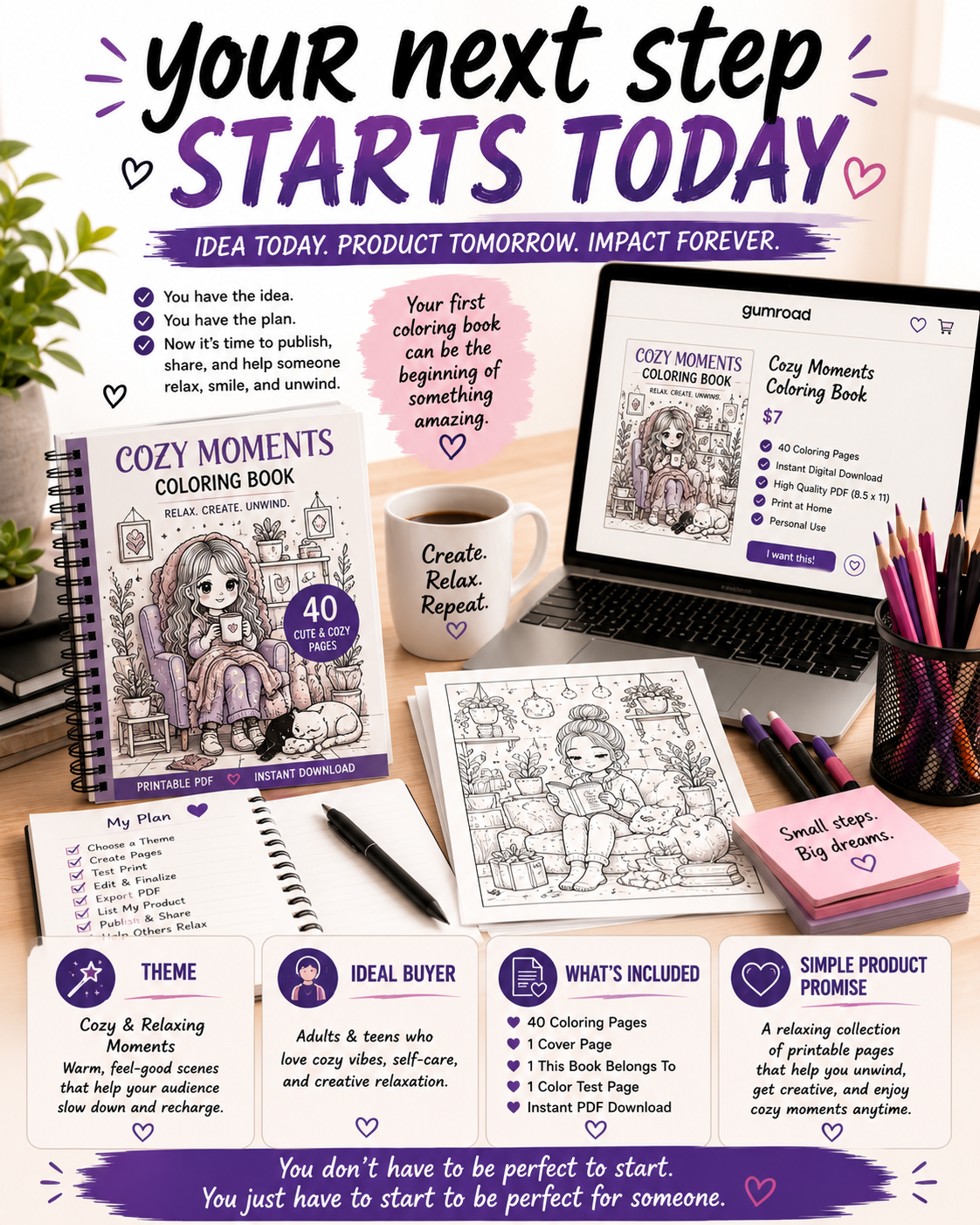
Your Next Step Starts Today
Most people spend months researching, planning, and tweaking ideas that never make it past the drawing board.
By following this simple seven-day plan, you’ll have something far more valuable than another folder full of unfinished concepts – you’ll have a real product that’s available for people to enjoy.
Your first printable coloring book probably won’t be your best work.
That’s okay.
Its job isn’t to be perfect.
It’s job is to teach you what works, what can be improved, and what your customers enjoy most.
Every finished product makes the next one easier to create.
Every customer teaches you something new.
Every launch builds confidence that you simply can’t gain through planning alone.
The creators who succeed aren’t necessarily the most talented.
They’re the ones who consistently finish, publish, learn, and improve.
If you’d like to follow along as I build Color Me Crazy Coloring Club in public – from product creation and marketing experiments to real wins, lessons learned, and behind-the-scenes workflows – join my Weekly Build Drops.
Each week, I’ll share practical strategies, honest updates, and actionable ideas you can use to build your own printable business one finished product at a time.
Quick Reality Check
You don’t need a perfect brand, a giant product catalog, or thousands of followers before you can start selling printables.
You need one finished product.
Every successful printable creator started with a first listing, a first sale, and a first lesson learned. The creators who build lasting businesses aren’t the ones who wait until everything is perfect – they’re the ones who consistently publish, learn from real customer feedback, and improve with every new release.
If you’re feeling stuck, simplify your goal. Focus on finishing one quality coloring book this week. Once it’s published, you’ll have something far more valuable than another unfinished idea – you’ll have momentum.
Related Reading
Frequently Asked Questions
Join the Weekly Build Drops
You don’t have to figure everything out on your own. Every week, I share the real process behind building a printable business from the ground up – including what’s working, what isn’t, new product launches, marketing experiments, and practical lessons you can apply to your own journey. If you enjoy honest, behind-the-scenes content without the hype, Weekly Build Drops is for you.